Online quote – Upload file – Payment – Fabrication-Shipment. Stencil without review.
There are 3 ways to place SMD stencil orders.
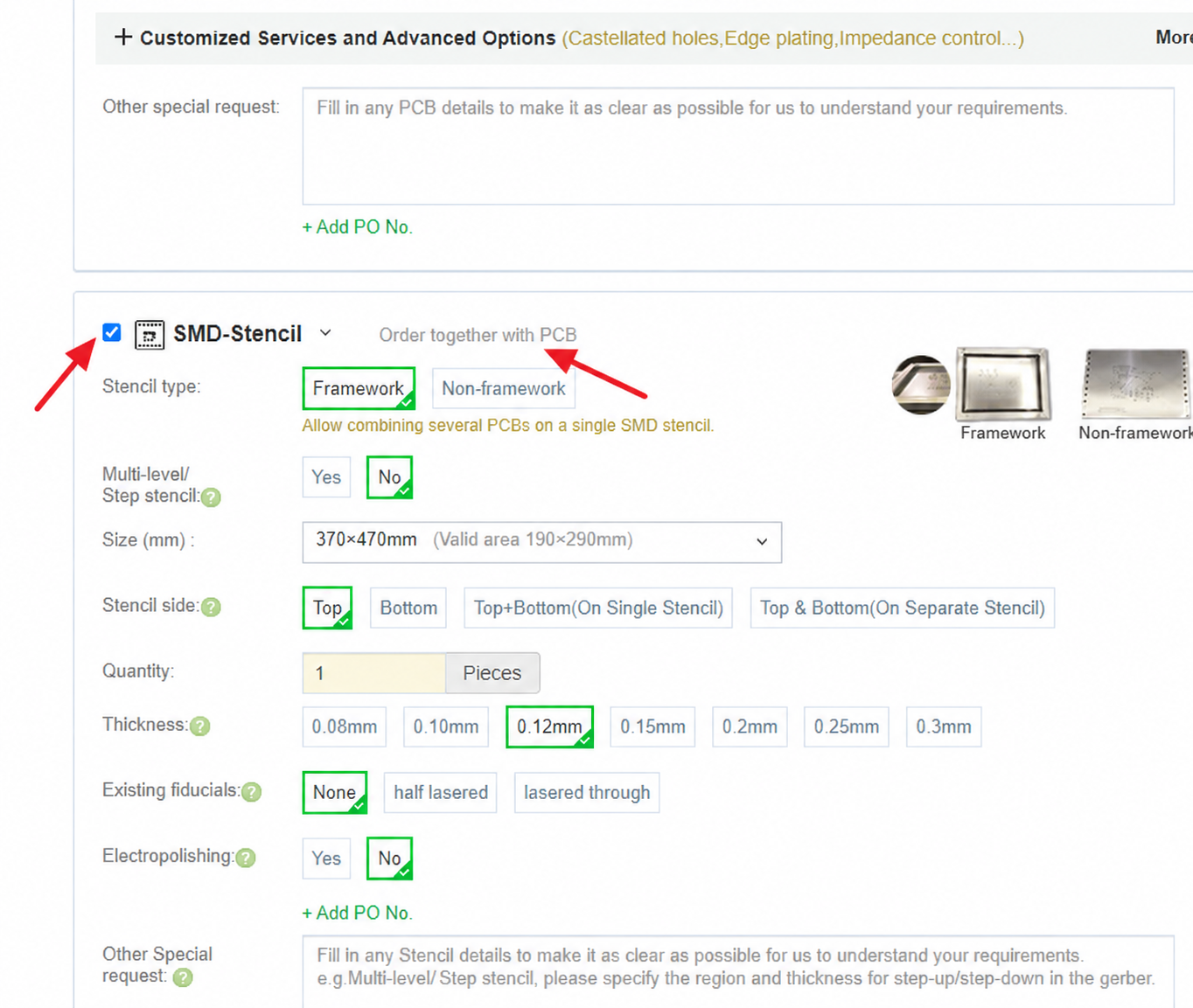
1.Place the stencil orders together with the PCB orders.
You can click “PCB Instant Quote” on the navigation bar to enter, select SMD-Stencil and fill in the SMD-Stencils parameters. Click Calculate to select the price. Add to Cart to upload the file.
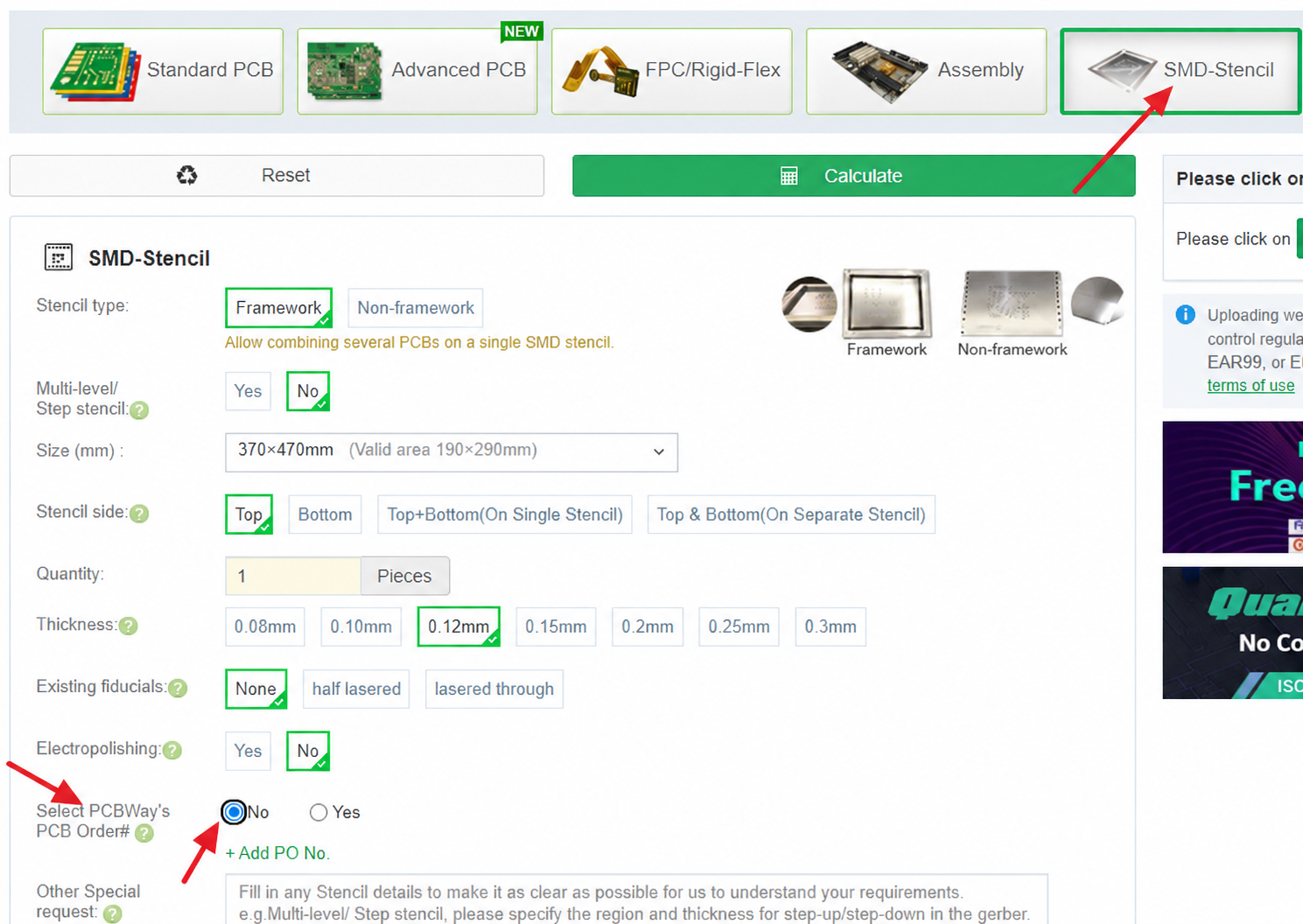
2.Place the SMD stencil orders with the paste files.
Type the parameter of the SMD-Stencil you’re quote now the instant quote bar .Click on quote now to enter the SMD-Stencils quote, choose to fill in the SMD-Stencils parameter,and choose the item “Select PCBA’s PCB order#” as “No”. click Calculate to select the price, Add to Cart to upload the file, Pay.
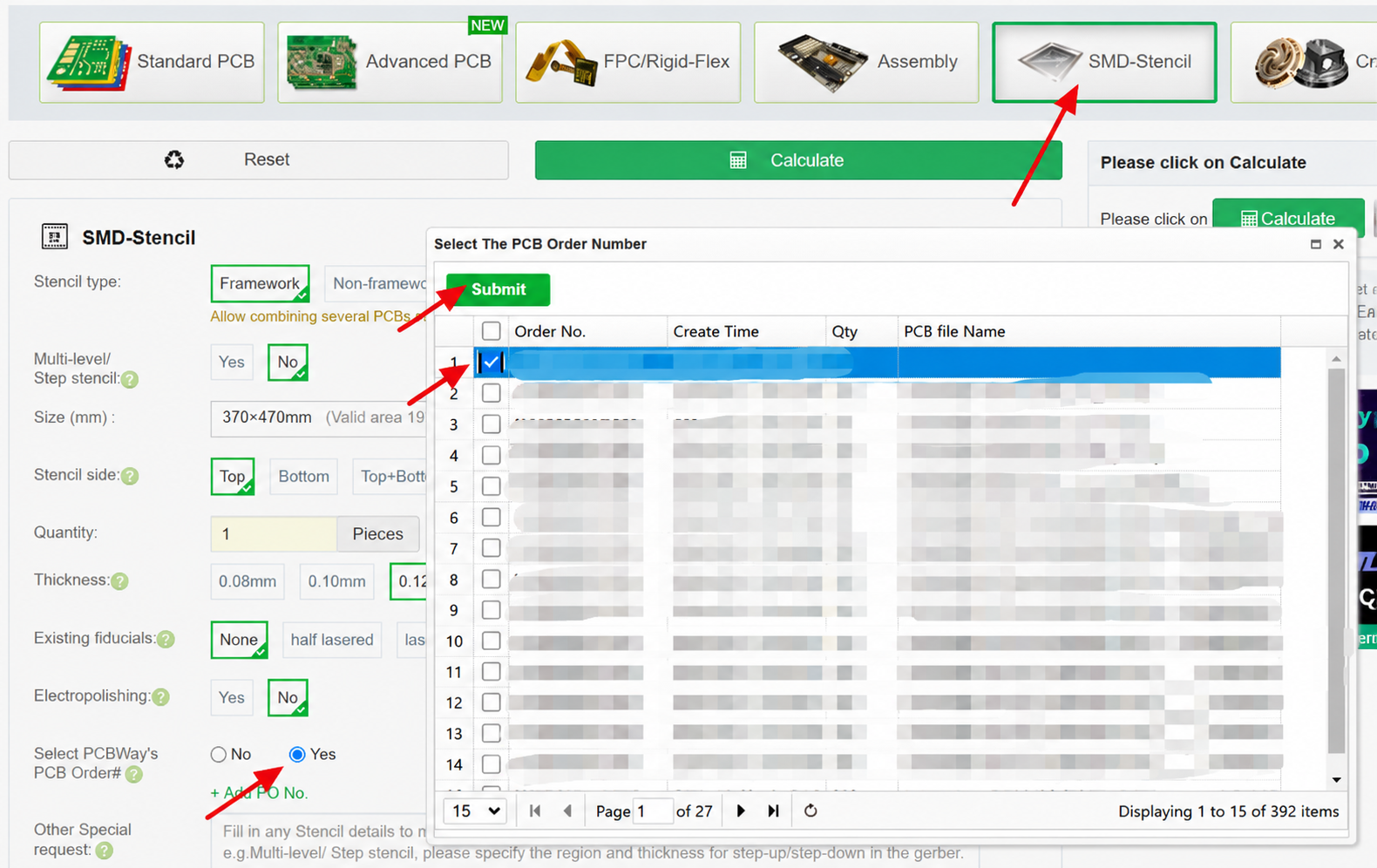
3.Place a SMD stencil for the PCBA’s PCB order.
Type the parameter of the SMD-Stencils you’re quote now the instant quote bar. Click on quote now to enter the SMD-Stencil quote, choose to fill in the SMD-Stencils parameter,and choose the item “Select PCBA’s PCB order#” as “Yes”,then choose the PCBWay order number. Click Calculate to select the price, Add to Cart and Pay.