Online quote – Upload file – Payment – Fabrication-Shipment. Stencil without review.
There are 3 ways to place SMD stencil orders.
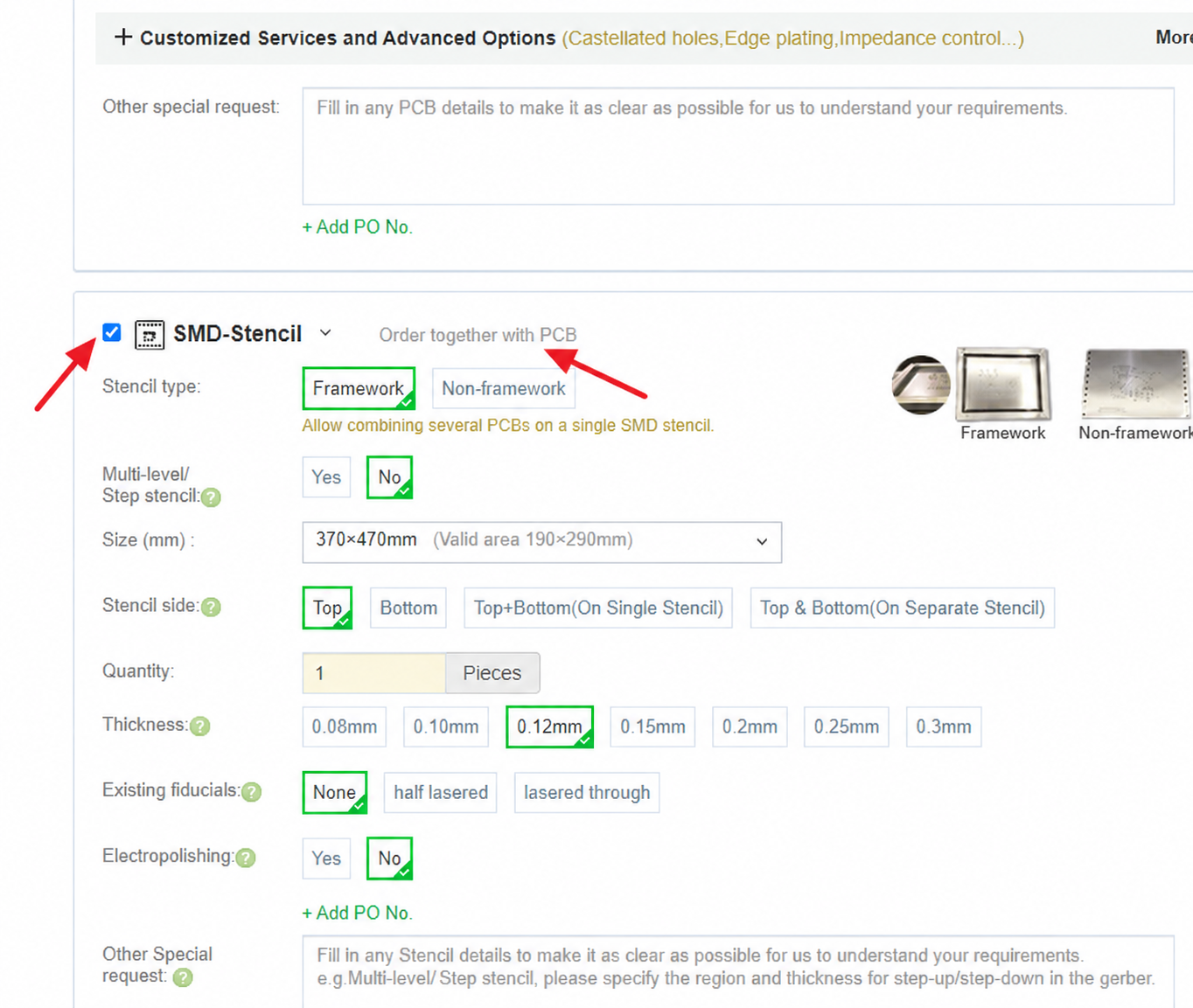
1.Place the stencil orders together with the PCB orders.
You can click “Мгновенный расчет стоимости печатной платы” on the navigation bar to enter, select SMD-Stencil and fill in the SMD-Stencils parameters. Click Calculate to select the price. Add to Cart to upload the file.
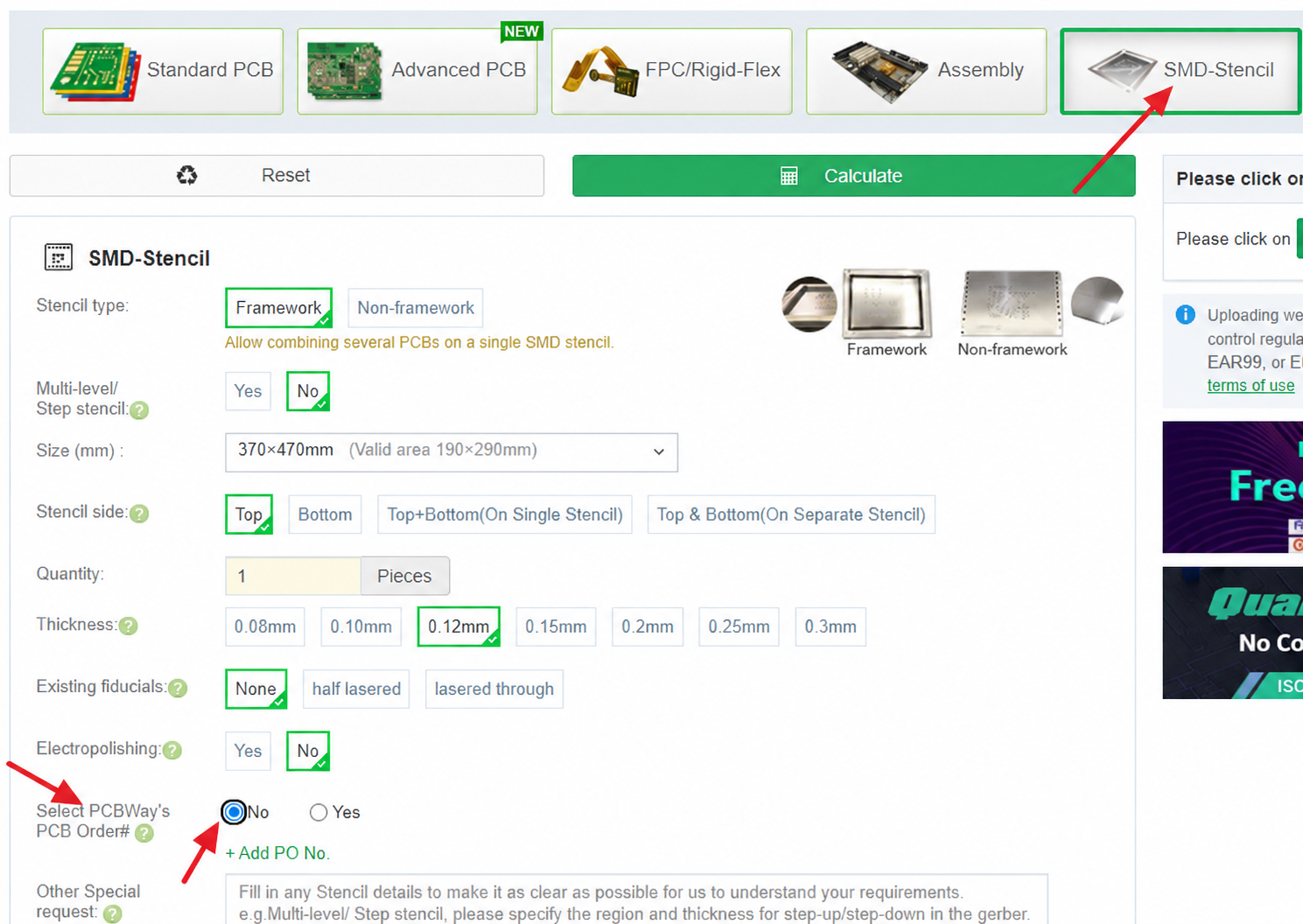
2.Place the SMD stencil orders with the paste files.
Type the parameter of the SMD-Stencil you’re quote now the instant quote bar .Click on quote now to enter the SMD-Stencils quote, choose to fill in the SMD-Stencils parameter,and choose the item “Select PCBA’s PCB order#” as “No”. click Calculate to select the price, Add to Cart to upload the file, Pay.
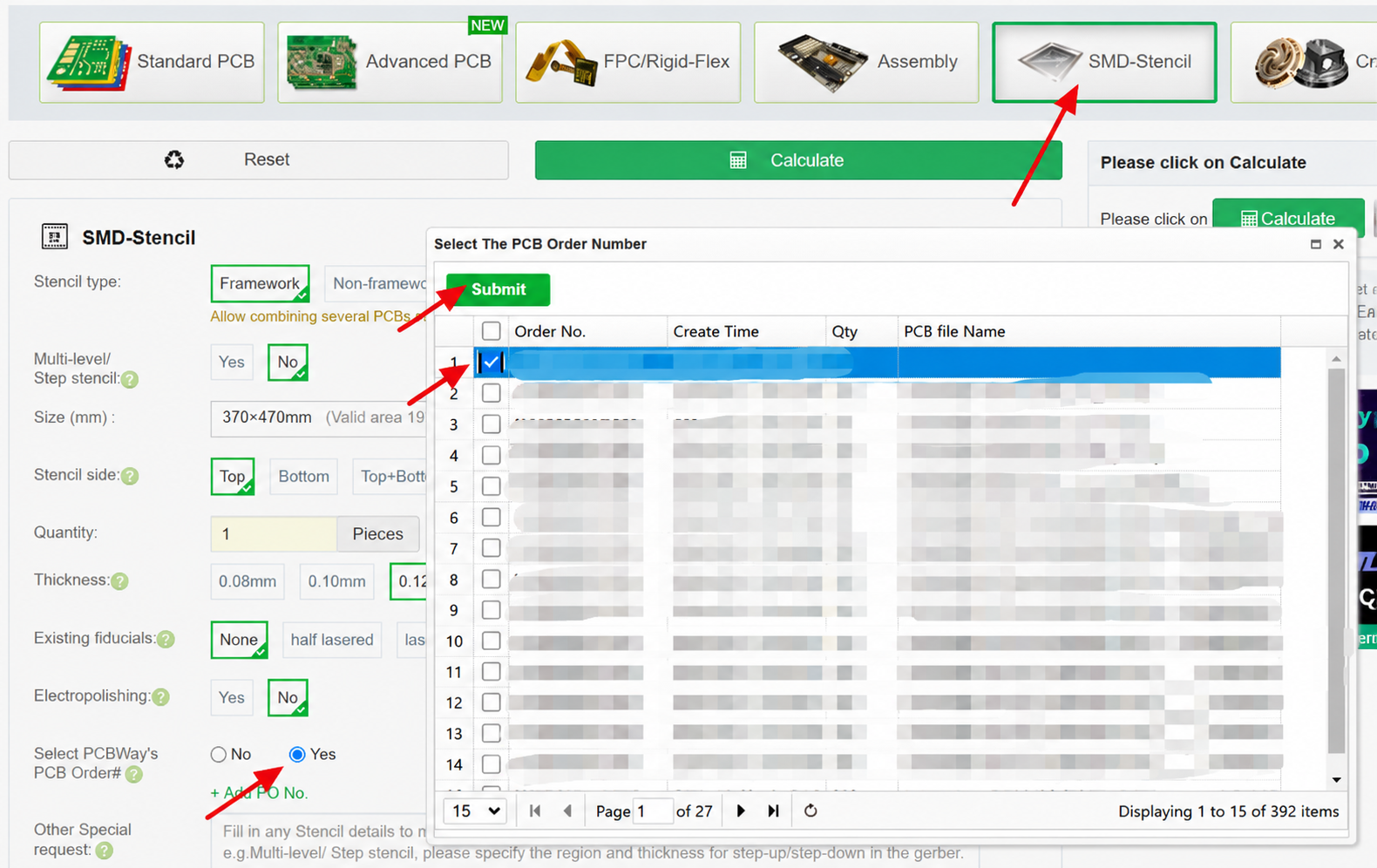
3.Place a SMD stencil for the PCBA’s PCB order.
Type the parameter of the SMD-Stencils you’re quote now the instant quote bar. Click on quote now to enter the SMD-Stencil quote, choose to fill in the SMD-Stencils parameter,and choose the item “Select PCBA’s PCB order#” as “Yes”,then choose the PCBWay order number. Click Calculate to select the price, Add to Cart and Pay.