
Set your billing details on the “My Account” page. The steps are as follows:
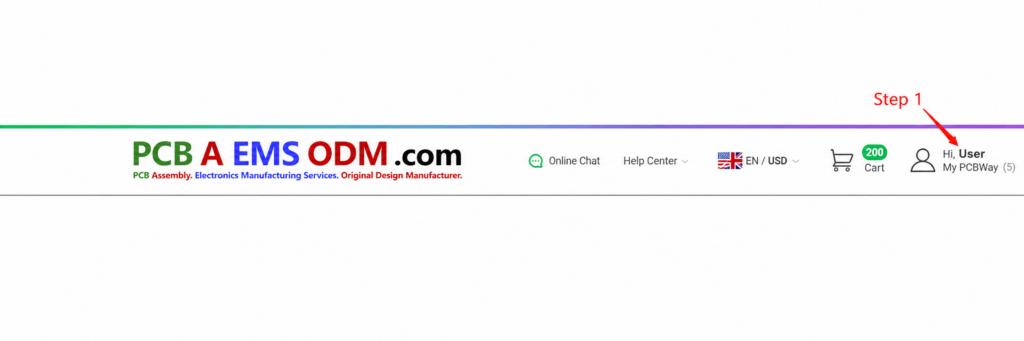
Step 1: Go to the PCBa website, log into your account, and click on “My PCBWay” in the top right corner.
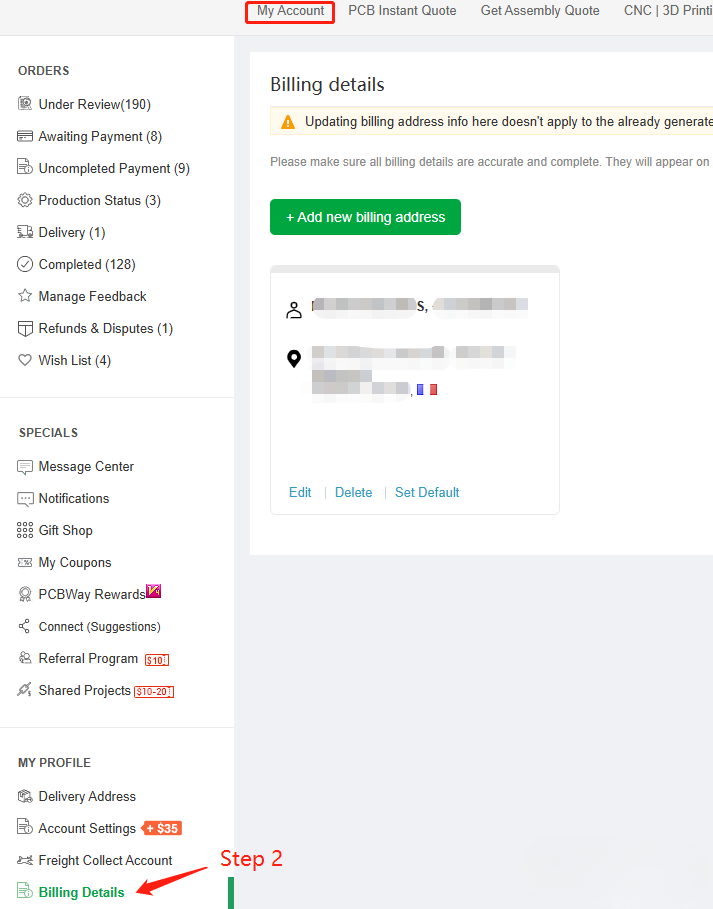
Step 2: On the “My Account” page, click on “Billing Details“.
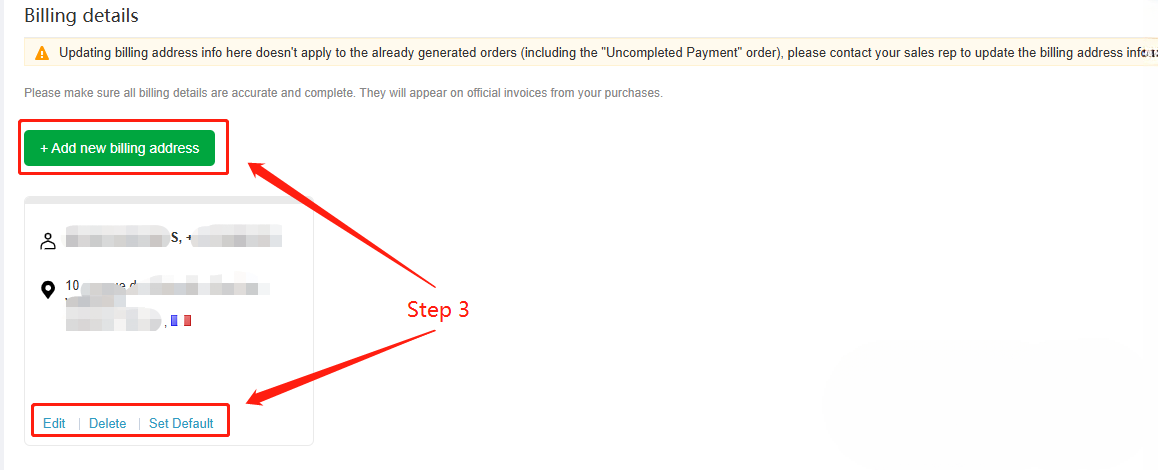
Step 3: Then, you can add/edit your billing information.
Step 4: Click on “Submit”.
Note: Updating billing address info here doesn’t apply to the already generated orders (including the “Uncompleted Payment” order), please contact your sales rep to update the billing address info.